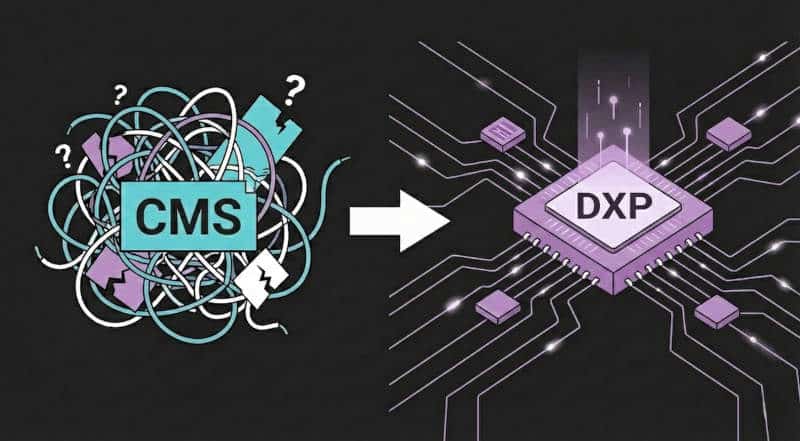
Migrating your CMS can feel overwhelming, but with the right plan, it’s absolutely doable. Here’s how to move your site without losing your data — or your sanity.
Old CMS platforms can:
Slow down performance
Pose security risks
Limit growth
Modern CMS solutions are faster, safer, scalable, and integrate more easily with today’s tools.
Lost metadata and broken links
SEO rankings dropping
Downtime during migration
Technical complications
A clear plan helps you avoid these pitfalls.
Start by identifying what’s not working:
| Area | Warning Signs | Impact |
|---|---|---|
| Performance | Slow load times | Frustrated users |
| Security | Outdated protocols | Data breaches |
| Scalability | Crashes under traffic | Lost revenue |
| Integration | Tools don’t connect | Inefficiency |
| Maintenance | Rising support costs | Higher expenses |
Define success before you start:
Performance: Faster load times
Security: Stronger protocols and compliance
Scalability: Handle future growth
Integration: Connect with modern tools
Cost: Lower maintenance and better ROI
Pick a platform that fits your needs now and scales with you later. Consider:
Cost: Setup and maintenance
Scalability: Traffic spikes and multi-channel support
Integration: APIs and third-party tools
Security: Compliance and data protection
Support: Documentation and community
Detailed planning reduces risks and budget overruns.
Assess Risks: Prepare backups and rollback plans.
Allocate Resources: Define roles and bring in external help if needed.
Set a Timeline: Break the migration into phases with clear milestones.
Pre-migration checklist:
Inventory all content
Clean up outdated data
Plan new content structure
Test with a sample migration
Configure your new CMS before moving anything:
| Task | Purpose |
|---|---|
| User roles & permissions | Control access |
| Content models | Maintain structure |
| Integrations | Connect systems |
| SEO settings | Protect rankings |
Then migrate in phases:
Core content (pages, articles)
Media (images, videos)
Metadata and taxonomies
User-generated content
Custom configurations
After migration, test everything: links, performance, permissions, redirects, and functionality.
Even the best CMS fails without skilled users. Offer:
Onboarding: Basic navigation
Role-specific training: Advanced tools
Hands-on practice: Safe test environments
Ongoing support: Refreshers and help guides
Track metrics to ensure long-term success:
Performance: Load times, server response
Content: Engagement and time on page
System health: Uptime and error rates
User behavior: Navigation and feature usage
Also, create a support framework: updated documentation, tiered support levels, and user feedback loops.
Migrating to a modern CMS is more than just moving content — it’s about unlocking better performance, stronger security, easier integrations, and future growth.
Cloud-based CMS platforms bring:
| Benefit | What You Gain |
|---|---|
| Cost savings | Lower infrastructure costs |
| Performance | Faster, scalable sites |
| Security | Built-in compliance and updates |
| Integration | Easy connections with tools |
With a clear plan, solid training, and continuous monitoring, you’ll move from outdated to outstanding — without losing traffic or data.
Like (0)